

Printers, ERP, CRM and legacy apps — emailing again.
SMTPly accepts classic SMTP traffic on your Windows server and forwards it via OAuth2 and Microsoft Graph through your Microsoft 365 — no cloud middleman, no data sharing.
Why SMTPly?
→ Microsoft is ending SMTP Basic Auth by December 2026 — Find out what it means and how to prepare.
Microsoft is ending SMTP authentication via username and password in Exchange Online — disabled by default from end of 2026, fully removed from 2027. Printers, scanners, ERP systems, CRM software and other legacy applications that cannot speak OAuth2 will stop sending email without a migration. SMTPly closes that gap locally on your Windows server.
Data stays local
SMTPly runs entirely on your Windows server. No third-party servers, no telemetry, no anonymised usage data. The only outbound connection is to your own Microsoft 365.
GDPR-friendly
No data processing agreement with us required — because we don't process your data. Ideal for healthcare, law firms and public authorities.
Plug & play for legacy
Printers, scanners, ERP and CRM keep sending via plain SMTP on port 25 or 587. SMTPly handles the OAuth2 translation in the background.
Encrypted client secret
OAuth credentials and SMTP content are encrypted with Windows DPAPI. Only the local service account can read them back.
Live mail tracker
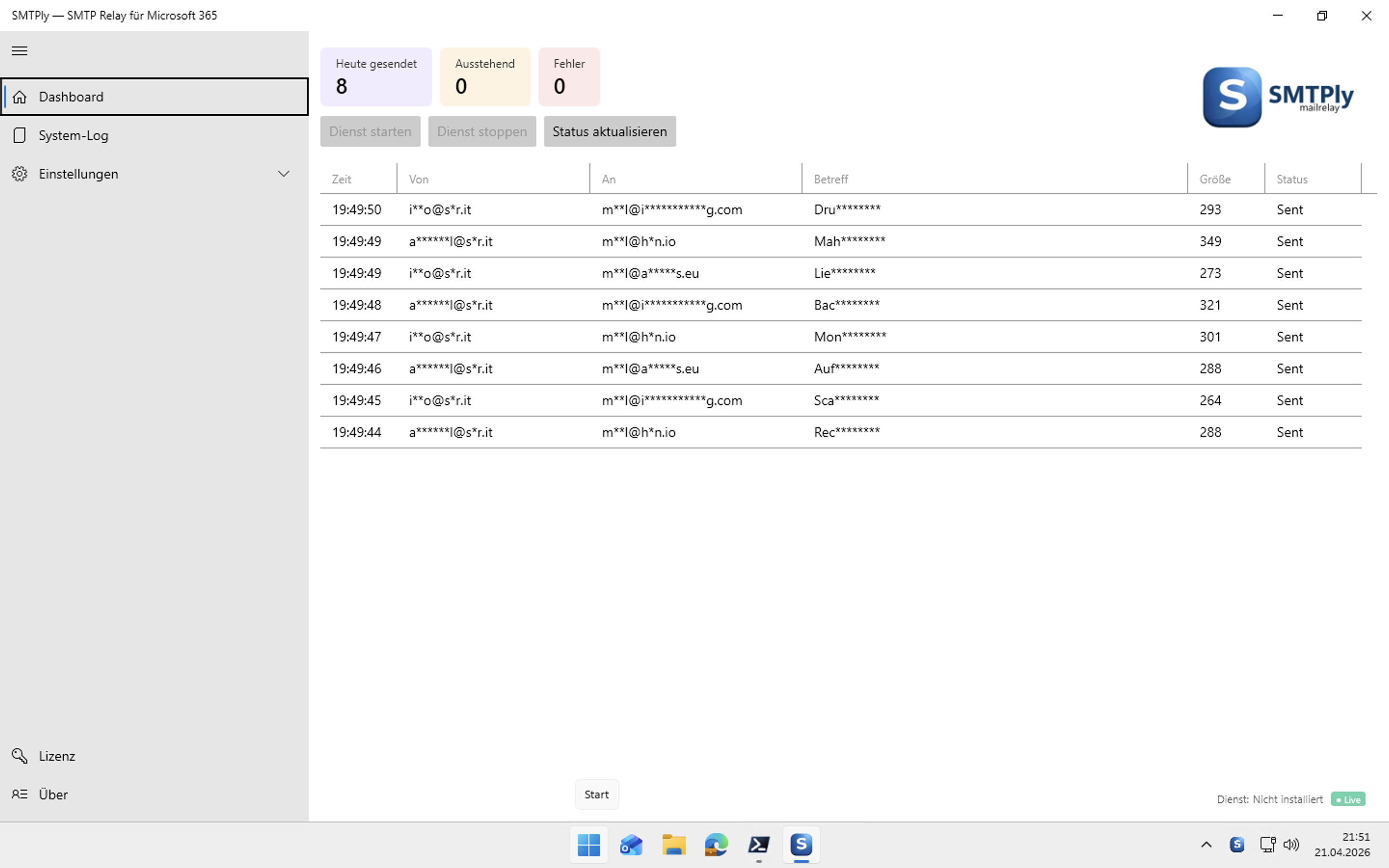
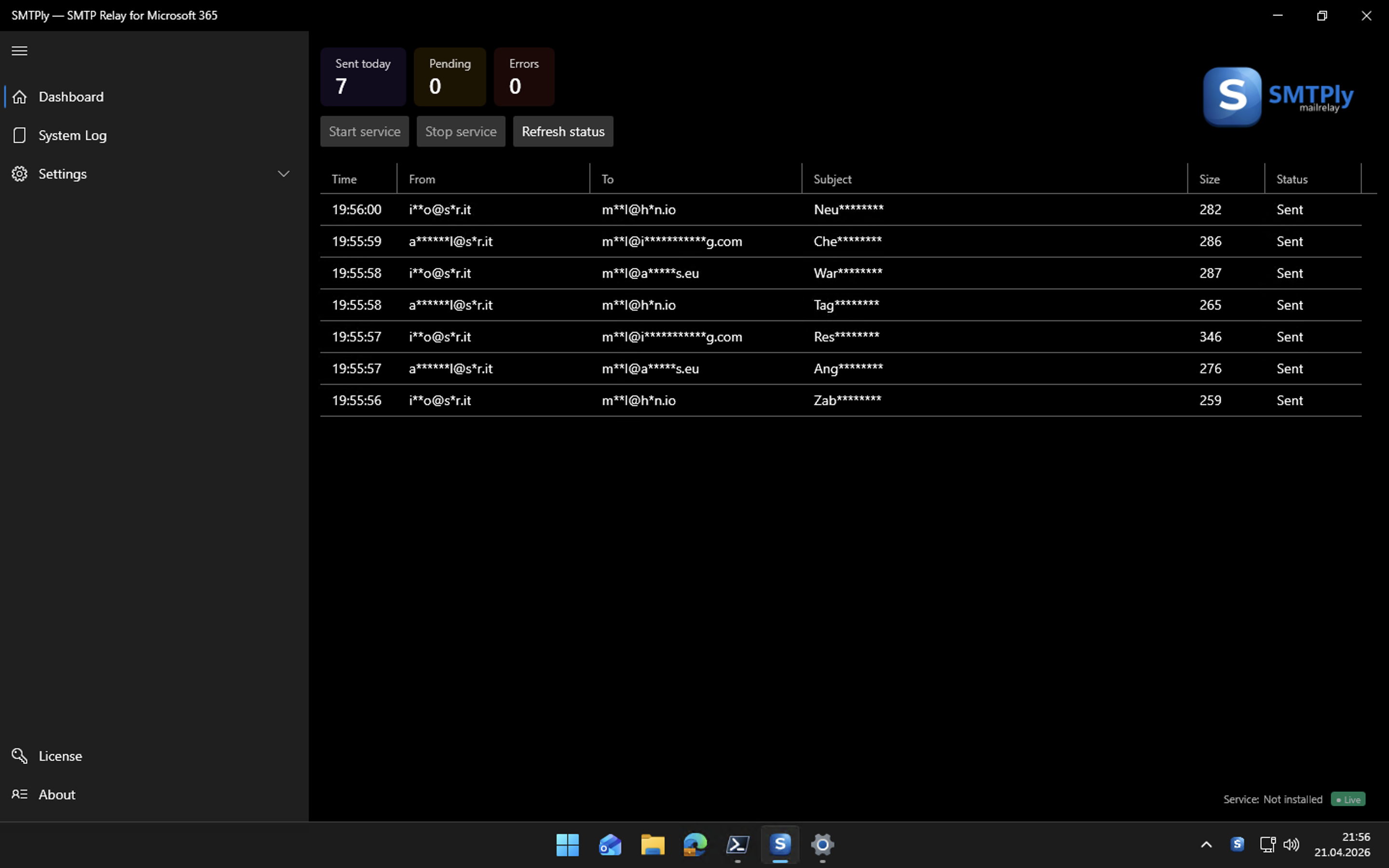
Spreadsheet-style live view of every relayed message with SMTP transcript, Graph response, retry history and a one-click "resend" button.
Automatic retries
Persistent queue with exponential backoff, STARTTLS support, IP allow-list and sender domain allow-list. If Graph hiccups — or the server reboots — nothing is lost.
Usage reports by email
Optional daily, weekly or monthly digest to a fixed admin address: message totals, failure rates, top senders, most common error reasons. Recipient is configurable, the report can be switched off entirely.
Secret-expiry warning
SMTPly tracks the Azure client-secret expiry date and automatically emails you when it's 30, 14 or 7 days away — so you can rotate before the relay goes silent.
Replacement for the IIS SMTP service
Microsoft has officially marked the IIS 6.0 SMTP service as deprecated and will remove it from future Windows Server releases. SMTPly takes over the role of the local mail relay — modern, OAuth2-capable, with GUI, logging and retry logic.
Windows certificate store + auto-health
Pick the STARTTLS certificate directly from the Windows certificate store — works seamlessly with ADCS auto-enrollment and existing enterprise PKI. On renewal the subject fallback kicks in automatically, no reconfiguration needed. The built-in cert health monitor warns the admin 30/14/7/1 days before expiry via dashboard banner and email.
A simple data path
There is exactly one hop between your printer, ERP or CRM software and Microsoft 365: your own Windows server.
Three pieces, one job
- SMTP listener — accepts classic SMTP on port 25 or 587. Optionally with STARTTLS.
- Relay queue — buffers incoming mail, retries failed deliveries automatically.
- Graph sender — fetches the OAuth2 token from Azure, sends via
/users/{sender}/sendMail.
The entire email travels straight from your device into your Microsoft 365. Between those two points there is no third-party server.
From the field
What administrators say who run SMTPly in production.
„Die App ist wirklich eine große Erleichterung für unseren Alltag — und ich bin mir sicher, dass sie noch vielen anderen Administratoren helfen wird. Dazu der tolle und schnelle Support. “
“The app really makes our daily work a lot easier — and I'm sure it will help many other administrators. Plus the great and fast support.”


Three editions, one one-time price
No subscriptions. No hidden fees. One license per server, unlimited mail volume.
Starter
standard support
- Full SMTP listener + OAuth2 relay
- SMTP authentication
- STARTTLS, IP and sender allow-listing
- Mail tracker, privacy masking
- 14-day free trial
Business
priority support
- Everything in Starter
- Multi-tenant routing (domain & AUTH user)
- Planned Business extensions included
- Priority handling for support requests
Enterprise
priority support
- Everything in Business
- High tenant counts, custom agreement
- Dedicated contact
Secure checkout via Polar (Merchant of Record). License key delivered to your inbox. Business will receive additional features over time — existing Business licenses get those for free. Or download the trial.
Microsoft is ending SMTP Basic Auth. We bridge the gap.
Microsoft is deprecating username/password authentication for SMTP in Exchange Online — disabled by default from December 2026, permanently removed from 2027. Thousands of printers, ERP systems and industry-specific tools will stop sending mail without a migration.
Retrofitting OAuth2 is often impossible — the device firmware simply doesn't know the flow. SMTPly bridges the gap as a local relay: legacy SMTP in, OAuth2 + Graph out.
See the technical details →Frequent questions
What exactly does SMTPly do?
SMTPly is a local SMTP relay service for Windows. It accepts email over classic SMTP (the kind every printer can speak) and forwards it authenticated via the Microsoft Graph API into your Microsoft 365. To the sending application it looks like a traditional mail server — the OAuth2 complexity stays hidden.
Does my mail pass through your servers?
No. SMTPly runs only on your own Windows server. The only outbound network connection goes to Microsoft Graph — that is, into your existing M365 relationship. We never see your email.
Do I need a data processing agreement (DPA)?
Not with us — we don't process personal data for you. Your DPA with Microsoft stays in place.
What happens after the 14-day trial?
During the trial the software is fully functional — no mail limits, no feature walls. After 14 days the relay pauses until you activate a license. Your configuration and logs remain untouched.
Can I move the license to a new server?
Yes. In the license dialog click "Release license", then activate the same key on the new server. The hardware binding is preserved without locking you out during a migration.
Ready to reconnect your printers to M365?
Download the trial today. Installation and setup typically take under 10 minutes.